

The holidays have me thinking about creative ways to visualize ideas. So when I came across Whisk from Google Labs, an experimental platform that uses images as prompts, I decided to test what it could do.
The pitch reminded me of Midjourney, but Whisk adds something different: you can turn your generated images into short videos. That’s what pulled me in. I wanted to see how fast I could go from an idea to something moving.
From prompt to animation in seconds
I kept it simple for the first test: “Rudolph the Red-Nosed Reindeer joins Santa as he leaves gifts in the living room. Disney Pixar style imagery.”
Whisk generated two options. Both were pretty cute — Santa and Rudolph in a cozy living room with a glowing Christmas tree. I picked the first one because the lights on the tree looked brighter.
After selecting an image, Whisk gives you two options: refine the image or animate it. I clicked animate, not really knowing what to expect.
The animation prompt box appeared, asking what I wanted to see happen. I wrote: “The lights on the Christmas tree are twinkling, as well as Rudolph’s nose. And then Rudolph accidentally opens the gift that Santa is holding.”
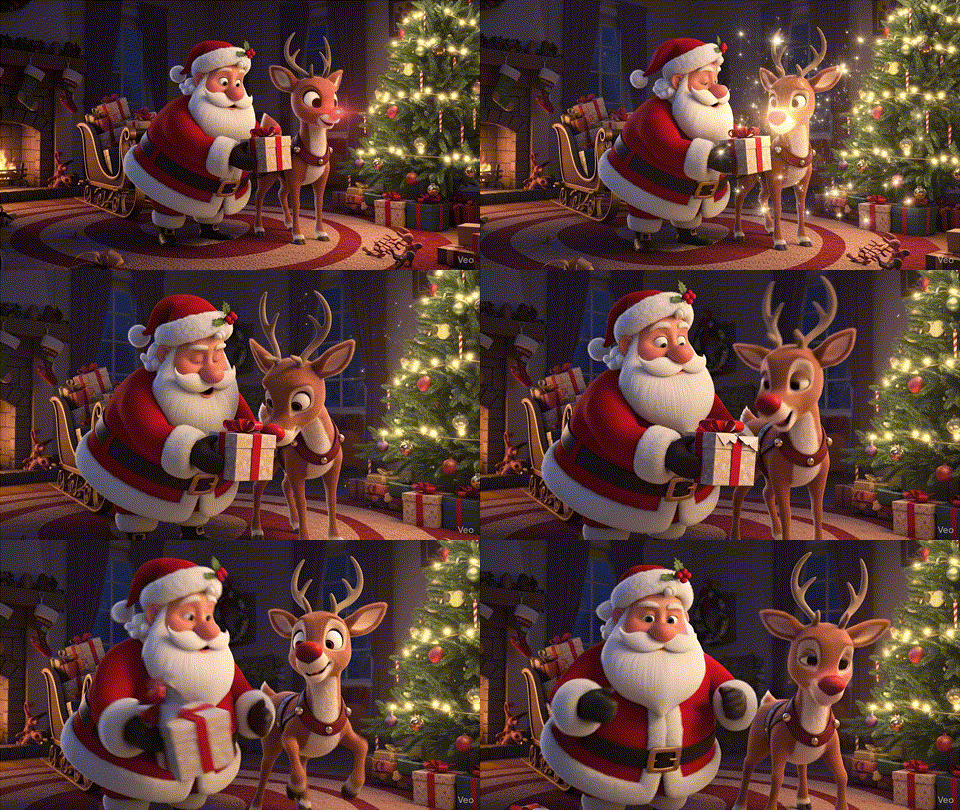
A few seconds later, I had an eight-second video of Santa and Rudolph in motion — twinkling lights, glowing nose, unwrapping gift. It wasn’t cinema-quality, but it was working! I’m used to image generation taking time, and video generation taking even longer. This short video was done in a minute.
Whisk is using Veo (Google’s video model) behind the scenes. What got my attention wasn’t the tech stack, though — it was how fast I went from text to image to moving video, all in the same tool.
Where the presets surprised me
Whisk also includes preset templates for different output formats: stickers, enamel pins, plushies, bento boxes, chocolate boxes. These weren’t things I would have thought to try on my own (who prompts for a chocolate box design?), but seeing them listed out made me curious.
I selected “sticker” and prompted: “I want a sticker collection for Christmas winter in New York City. Cartoonish style.”
The result had yellow taxis, ice rinks, and... a red double-decker bus. There are no double-decker buses in New York City! This was a mix of London and NYC (though at least the yellow taxis made it in).

I used the refine feature to fix it: “Replace the red bus with the Statue of Liberty.”
The updated version came back with the Statue of Liberty right in the middle of the street. Not exactly realistic, but it felt more New York — and it showed that the refinement feature actually works.
The geographic inaccuracy didn’t really bother me. Normally, I’d care about getting the details right. But I was just playing around, iterating quickly, seeing what stuck. The refinement feature gave me enough control to nudge things in the right direction without needing precision.
When it stopped feeling like a toy
For the last example, I uploaded a photo of my brother’s dog, Blue, and asked Whisk to create enamel pin designs. It generated different variations — close-up shots, full-body shots, different lighting. All of them were adorable.
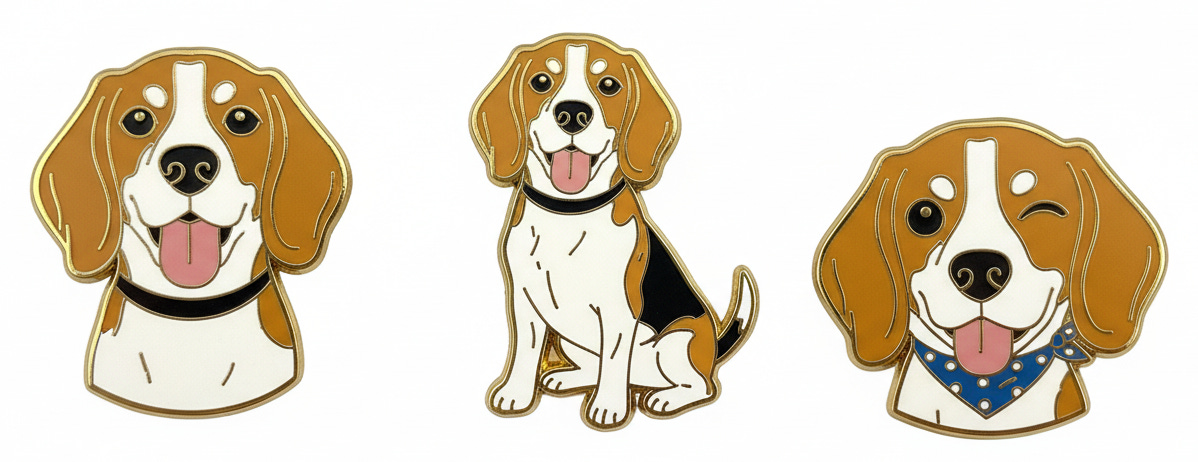
In this example, I wasn’t generating something from imagination anymore. I was taking something real (a photo of a dog) and transforming it into something tangible-feeling (a pin design you could theoretically order). The whole experience started feeling less like playing with AI and more like rapid prototyping.
The presets do something interesting. Instead of staring at a blank canvas trying to figure out what to create, the templates give you a format to work within. Sticker. Pin. Plushie. The constraints make it easier to just start.
What I’m still thinking about
Whisk is experimental, which means it’s not production-ready. The videos are short (eight seconds), the geographic accuracy is hit-or-miss, and I wouldn’t use any of these outputs for actual client work. But that’s not really the point.
I keep thinking about where this fits. Normally, if I want to mock up a sticker design or visualize a holiday scene, I’d either sketch it myself (badly) or brief a designer. Whisk sits somewhere in between. It’s fast enough to feel like sketching, but polished enough to actually show someone.
I’m not convinced it replaces anything in my workflow right now. But it feels like a different kind of space — quick, iterative, playful, just realistic enough to be useful. I’m still figuring out what I’d actually use it for beyond playing around.
Have you tried Whisk or other experimental platforms from Google Labs? Did you find yourself using the animation feature, or did you stick with static images?
And for those who’ve used similar tools for creative work: How do you think about the balance between speed of iteration and the need for accuracy and polish in the outputs?


